Maximize Your Tender Success with Expert Support

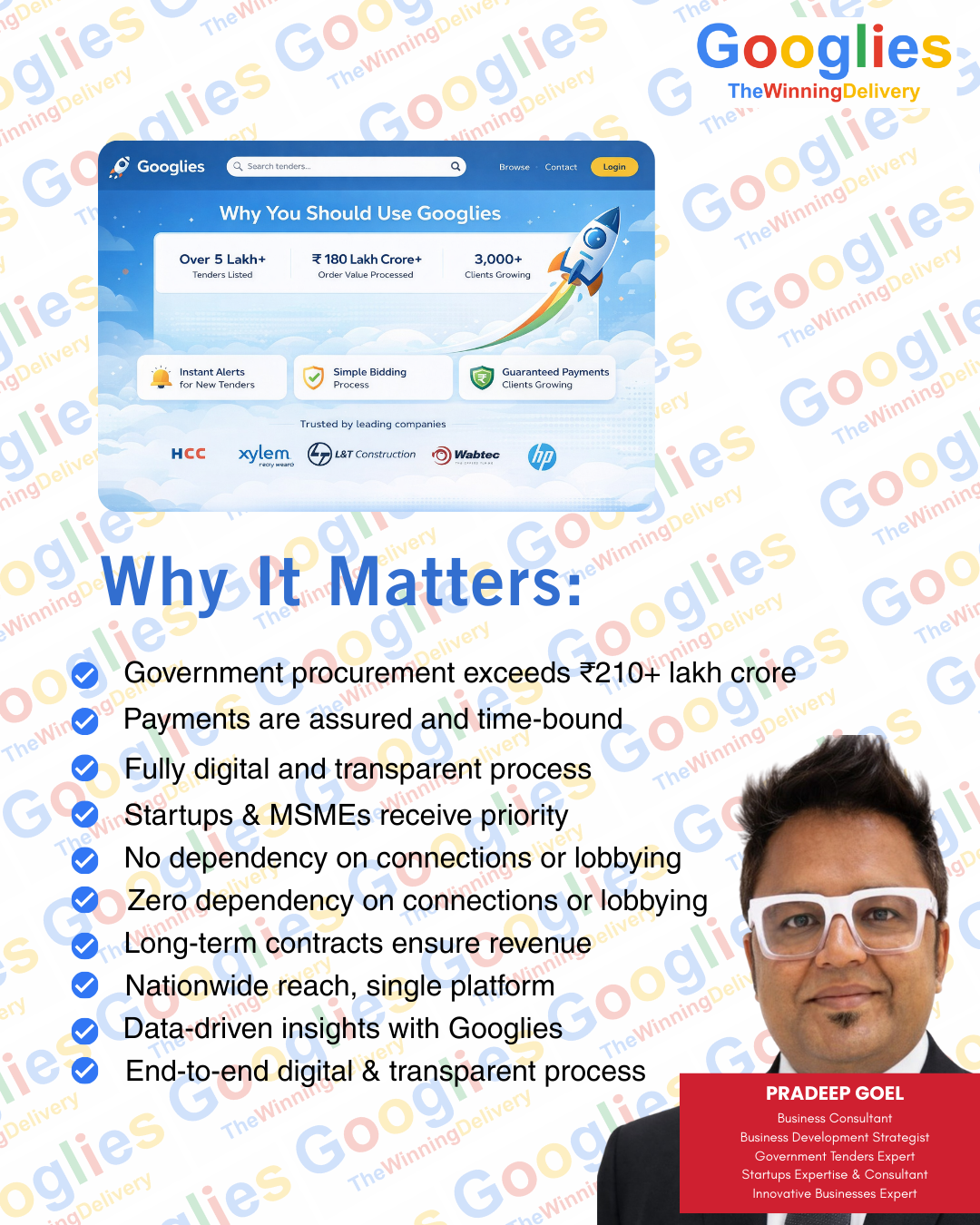










End-to-end assistance in creating and verifying seller profiles on the Government e-Marketplace. Establish your presence on India’s largest government marketplace. We handle the entire GeM registration process, including profile creation, Aadhaar and PAN verification, and bank account integration. We ensure your seller account is set up with the correct business categories to maximize your visibility to government buyers.
Unlock Prices Instantly
Complete registration on the primary portal for all central government ministry tenders.The CPPP is the gateway to all Central Ministry tenders. We manage your end-to-end enrollment, ensuring your organization is correctly mapped to the relevant procurement modules. Our team ensures your credentials are authenticated so you can download and participate in high-value central tenders without technical hitches.
See Today’s Deals Now
Handling registrations for state-level portals (e.g., Haryana tenders, UP Tenders, Delhi Govt Tenders).Every state has its unique bidding ecosystem. Whether it is Haryana tenders, UP Tenders, or Delhi Govt e-Procurement, we provide specialized registration services for all state-level portals. We help you navigate the varying documentation requirements of different state departments.
Reveal Your Price
Guidance on obtaining and mapping the correct Class 3 DSC required for secure online bidding. A valid Class 3 DSC is mandatory for secure bidding. We assist you in procuring, renewing, and mapping the correct Digital Signature Certificates to your bidding profiles. We also provide technical support to ensure your browser and system settings are compatible with the DSC drivers of various portals.
Tap to Discover Savings
Helping businesses register as MSMEs to unlock tender fee exemptions and earnest money deposit (EMD) waivers.Unlock exclusive benefits like EMD waivers and tender fee exemptions. We facilitate your Udyam Registration, ensuring your business is correctly classified. This registration is a powerful tool to help MSMEs compete with larger corporations on a level playing field in the government sector.
Get Prices in Seconds
Assisting startups in getting DPIIT recognition to qualify for "Relaxed Norms" in government procurement. New businesses can bypass "Prior Turnover" and "Prior Experience" criteria through Startup India Recognition. We manage the DPIIT recognition process for you, allowing your startup to qualify for government tenders that would otherwise be out of reach.
Check the Best Offer


Expert guidance through the Desktop and Video Assessment process conducted by agencies like RITES. Achieving "Verified Seller" status is critical for many product categories. We provide comprehensive guidance for the Desktop and Video Assessment conducted by agencies like RITES or Quality Council of India (QCI). We help you organize your manufacturing and process documents to ensure a "Pass" result on the first attempt.
Read More
Professional uploading and optimization of your product listings to ensure they appear in relevant buyer searches.A poorly listed product never sells. We offer professional cataloging services, including keyword-optimized descriptions, correct HSN code mapping, and high-quality image uploads. We ensure your products appear in the top search results when government buyers search for requirements.
Know the Price — Click Here!
Assisting manufacturers in establishing themselves as Original Equipment Manufacturers on GeM for better control over resellers.For manufacturers, controlling your brand on GeM is vital. We help you establish an OEM (Original Equipment Manufacturer) Dashboard, giving you the power to authorize resellers, manage brand integrity, and protect your market share from unauthorized sellers.
Grab Your Deal Now
Helping sellers understand the algorithms behind L-1 (lowest bidder) selection for direct purchase orders.The GeM algorithm often selects the L-1 (lowest bidder) automatically for small orders. we strategize your pricing and product positioning to ensure your offerings are chosen for Direct Purchases and L-1 comparisons, increasing your sales volume without formal bidding.
Show Me the Prices
: Providing advisory support to resolve show-cause notices or disputes on the GeM portal.Disputes or "Show Cause" notices on GeM can lead to account suspension. We provide expert advisory to help you respond to incidents, resolve buyer complaints, and manage the deviation process to keep your seller account in good standing.
Click & Save Big
Meticulous drafting of technical proposals to ensure 100% compliance with the "Technical Specifications" of the tender.The technical bid is where most bidders fail. We meticulously draft your technical proposal, ensuring every clause of the Tender Document is addressed. We cross-verify your specs with the tender’s "Technical Evaluation Matrix" to ensure you score maximum points.
Instant Price Reveal — Tap Here
Guidance on preparing Bill of Quantities (BOQ) with a focus on competitive yet profitable pricing.Winning a tender isn't just about being the lowest bidder; it’s about being the correct bidder. We analyze the Bill of Quantities (BOQ) and provide strategic pricing advice, considering taxes, overheads, and market trends to ensure your bid is competitive yet profitable.
See Your Deal Right Now
A deep-dive review of lengthy tender documents to identify hidden "Eligibility Criteria" and "Special Conditions. Avoid the "Fine Print" trap. We perform a deep-dive analysis of 100+ page tender documents to highlight critical eligibility criteria, hidden costs, and stringent delivery timelines, helping you decide whether a tender is worth your time and effort.
Click to Unlock Today’s Rates
A final pre-submission check to ensure every document (GST, PAN, ITR, Experience Certificates) is valid and correctly formatted. Before you hit "Submit," we perform a rigorous 360-degree audit of your entire bid package. We check for expired certificates, incorrect formats, and missing annexures, ensuring your bid is 100% compliant and immune to technical disqualification.
Discover the Price Behind the Click
Strategizing partnerships for businesses that need to pool resources to meet high-value tender requirements. If your company lacks a specific qualification, a partnership might be the answer. We help you draft JV agreements and Consortium bids that satisfy tender requirements while protecting your legal and financial interests.
Tap Now for Exclusive Pricing
Formulating queries and representing your interests during pre-bid conferences to seek favorable amendments.We help you influence the tender terms before they are finalized. By formulating strategic queries for pre-bid meetings, we challenge restrictive clauses and seek clarifications that make the tender more accessible for your business.
Reveal the Hidden Offer

Real-time strategy and support during live bidding and price-drop sessions.The pressure of a live auction can lead to costly mistakes. We provide real-time support during Reverse Auctions, advising you on when to drop prices and when to hold, ensuring you secure the contract at the best possible margin.
Reveal Prices Right Away
A personalized service to track and notify you of the most relevant upcoming tenders in your specific industry.Never miss an opportunity again. We provide customized tender alert services based on your specific keywords, regions, and budget, delivering the most relevant opportunities directly to your inbox.
Check Exclusive Rates Now
Assistance in responding to "Technical Clarifications" asked by the department after the bid is opened.The process doesn't end at submission. We assist you in responding to "Shortfall Queries" and representing your firm during price negotiations with the Tender Committee, ensuring your bid remains in the running until the final award.
See What You’ll Pay Instantly
Guidance on the formalities of submitting security deposits and bank guarantees upon winning. Winning a contract comes with the responsibility of security deposits. We guide you through the formalities of issuing and submitting Performance Bank Guarantees (PBG) and Earnest Money Deposits (EMD) to ensure your contract is signed without delay.
Tap Here for Today’s Prices

Helping businesses obtain ISO 9001, 14001, or 27001 to boost their "Technical Evaluation" score.Government tenders often award extra points for ISO certifications. We facilitate the process for ISO 9001 (Quality), 14001 (Environment), and 27001 (Information Security) to enhance your organization's credibility and technical score.
Check Prices Before They Change
Analyzing previous winning rates of competitors to help you predict the "Winning Price" for future tenders.Knowledge is power. We analyze historical data of your competitors' winning prices and technical scores. This "Bid Intelligence" allows you to predict the L-1 price and tailor your strategy to stay ahead of the competition.
Click & Compare Instantly
Assisting in getting empanelled with major PSUs like ONGC, BSNL, NHAI, and Railways. We help you get empanelled with major Public Sector Undertakings (PSUs) like Railways, NHAI, BSNL, HPCL, BPCL, IOCL, GAIL INDIA, GAIL GAS and ONGC. These registrations often allow you to receive limited tender inquiries directly from the departments.
See What You’ll Save
: Expert advice on government policies like the "Make in India" (PPP-MII) preference and Purchase Preference Policies.Government policies like the "Public Procurement (Preference to Make in India)" can give you a massive advantage. We interpret these policies for your specific products, helping you claim purchase preference over foreign manufacturers.
Unlock the Best Price Today
If your previous bids were rejected, we perform a "Post-Mortem" analysis. We identify exactly why you were disqualified and rectify your documentation process to ensure future success.
Get Instant Access to Prices

Best For: Occasional bidders or high-value one-time tenders.
Tender Value: Up to ₹25 Lakhs
Technical Bid preparation, Document audit, Financial Bid guidance, RA support.
EMD payment, Logistics, Site visits.
*Success fee charged only when the bidder gets technically qualified during Bid Evaluation.
Discover Prices in One Tap
Best For: Resellers/OEMs who want to bid on 3-5 tenders every month.
Tender Value: Cumulative up to ₹1 Crore
Weekly Tender Alerts, unlimited Bid Search, Full management of 5 bids/month, Incident handling.
Cost of DSC (Digital Signature), Bank Guarantees.
Steady income for you; professional "outsourced bidding department" for the client.
*Success fee charged only when the bidder gets technically qualified during Bid Evaluation.
Click to View Hidden Deals
Best For: Turnkey projects, BOQ Bids, or Bids > ₹1 Crore.
Tender Value: Above ₹1 Crore
Pre-bid meeting representation, Technical Deviation management, Legal compliance audit, Strategic pricing analysis based on historical L1 data.
Max 2 such bids per month due to complexity.
*Success fee charged only when the bidder gets technically qualified during Bid Evaluation.
Get Instant Access to PricesReceive up-to-date notifications on current and upcoming tenders with complete details on eligibility, work scope, technical requirements, submission deadlines, evaluation norms, and downloadable tender documents to ensure precise and confident participation.

Googlies offers specialized GeM tender consultation & bidding services to help you win more government contracts and grow your business..

Maximize your bids with expert GeM tender consultation and specialized services for efficient government tender participation..

Googlies offers specialized GeM tender consultation & bidding services to help you win more government contracts and grow your business..
End-to-end creation and management of product and service catalogs with precise specifications, consistent descriptions, competitive pricing, correct classification, and compliance alignment to enhance visibility and approval rates on procurement portals.

Make data-driven bidding decisions with our advanced analytics and competitor tracking tools.
Comprehensive vendor assessments covering financial health, technical capability, infrastructure readiness, statutory compliance, historical performance, and risk factors to meet both institutional and regulatory evaluation criteria.

Never miss a relevant opportunity with our smart tender alerts and real-time tracking dashboard.
Full guidance for vendor empanelment with banks, PSUs, and large organizations, including eligibility evaluation, preparation of documents, submission assistance, follow-up processes, and periodic renewal to maintain ongoing empanelment status.

From tender search to final submission, our experts manage the entire bidding process to increase your win rate.
Complete tender bidding support including strategy planning, preparation of technical and commercial documents, compliance verification, structuring price bids, online submission, and monitoring deadlines to improve chances of successful bids.

Choose from tailored tender support packages designed for businesses of all sizes.
Expert guidance for acquiring mandatory certifications like MSME, ISO, NSIC, and other statutory approvals, including documentation, application filing, audit coordination, and renewal support necessary for eligibility in institutional and government tenders.
Choose from tailored tender support packages designed for businesses of all sizes.
Comprehensive support for multiple e-procurement platforms including vendor registration, bid creation, document uploads, tracking corrigenda, handling clarifications, and secure online submissions throughout the tender lifecycle.
At Googlies, We redefine tender consultancy with precision, industry expertise, and a results-driven strategy. Our experienced professionals specialize in simplifying complex tender processes and transforming them into high-success bidding solutions. We offer complete end-to-end tender support, from identifying high-value opportunities to preparing compelling, customized bids that maximize win rates. With deep knowledge across multiple industries and a commitment to excellence, Googlies helps your business stand out in highly competitive tender environments. Partner with Googlies for innovative tender solutions, cost-effective strategies, and a proven track record of securing high-value contracts.
Providing reliable support and quick solutions to make your experience seamless.
When it comes to service, we know speed matters. But security matters even more. That's why we provide both—fast solutions with the peace of mind that your data is always protected.
Your success is our mission. As your trusted partner, we are here to guide you toward lasting results.
With the power of Google support, we make your services and opportunities stand out, improving visibility and increasing your chances of success.
Please fill out all required fields to book your consultation session
We provide complete end-to-end registration support including document preparation, application submission, and verification assistance to ensure successful GeM registration.
Yes, we manage the entire bidding process from identifying suitable tenders to preparing and submitting competitive bids that maximize your chances of winning.
Typically 3–5 working days with proper documentation. We expedite the process through our expertise and established workflows.
All GeM and government tenders across various industries including IT, infrastructure, services, goods supply, and more.
Yes, we provide pan-India services covering all states and union territories with local expertise for regional tenders.
Android: Available on the Google Play Store
Download Android
App
iOS: Available on the Apple App Store
Download iOS App
The GeM Sellers Mobile App can be accessed by both **Primary and Secondary users** who are registered on the GeM (Government e-Marketplace) Portal.
Sellers can access **orders, payments, bid analytics, catalogues, profile details, and notifications on the go**. In later phases, the app allows sellers to perform actions with **minimal steps and mobile-friendly interfaces**.
Login requires:
- **User ID**
- **Password**
- **Captcha**
Ensure your **User ID is already registered on the GeM portal**. Only registered seller IDs can log in via the app. Non-registered IDs will be denied access.
Use the **“Forgot Password”** option available on the login screen to reset your password.
Yes. After login, an **overlay tutorial** is displayed for key screens such as:
- Homepage
- Order history
- Payment statistics
- Header (Bell icon, Account details)
- Footer (Home, Order, Need Help, More)
- Chatbot
- Bid screens
- Incident screens
- Transaction charge screens
Users can also navigate to the tutorial via the **More options** menu.
Click the **bell icon** in the header to view the list of notifications.
- **Home:** Navigates to the homepage
- **Order:** Shows order statistics
- **GeMMy (Chatbot):** Integrated for assistance
- **More:** Access additional options and navigation links
Click the **Order** tab in the footer to view:
- Payment Statistics
- Order History
- Orders with Pending Invoice
After login, sellers are navigated directly to the **Dashboard**, which includes:
- **Pending Actions** panel
- **Core Panel**
Sellers can view and act on:
- Orders pending acceptance
- Orders pending delivery
- Pending transaction charges
- Pending invoice creation
Core Panel tabs include:
- **Bid:** Last 10 bids won/lost, last 1 month notified bids
- **Catalogue Management:** Catalogue statistics and category-wise listing
- **Transaction Charges:** Details of charges on accepted orders
- **Incident:** View and manage incidents assigned to the seller
Business Cockpit provides OEMs with insights on **category statistics, business value & volume, reseller data, buyer information, and coverage analysis**, enabling better decision-making.
With the **Premium OEM Dashboard**, users can access:
- Granular category and order insights
- Month-wise business trends at reseller level
- Bid/RA win-loss analysis
- Catalogue coverage data
- Data export for advanced analysis
Caution Money is a **fixed deposit by sellers** with GeM to maintain discipline among sellers on the platform.
All **registered sellers on GeM**, unless exempted, are required to pay Caution Money.
- Seller turnover < 1 Crore: **₹2,000**
- Turnover 1–10 Crore: **₹10,000**
- Turnover > 10 Crore: **₹25,000**
Refer: GeM GTC
The Caution Money is held by **GeM SPV**.
Without depositing, sellers cannot:
- Upload new brands/products
- Participate in new bids
- Receive new DP/L1/BID/RA orders
Exempted categories:
SHGs, Artisans, Weavers, MSE Women, MSE (SC/ST), FPOs, ODOP (on Nodal request)
Caution Money may be forfeited for:
- Failure to execute GeM contract (without performance security)
- Withdrawing bids during validity
- Failing to furnish performance security
Account goes on hold if Caution Money falls below required threshold.
See **Clause 27** in the GeM GTC.
Startup Runway is a GeM online outlet for **DPIIT-recognized startups** to showcase innovative products in 14 product categories. Learn more at: Startup Runway.
Steps:
1. Update **DPIIT registration number** and validate via OTP.
2. Complete **Caution Money**, **Vendor Assessment**, and **Brand/OEM Panel Approval**.
3. List catalogues under relevant **Startup Runway categories**.
Yes. Sellers can submit representations for **ongoing bids with duration 3–10 days**.
Only **once per bid**, using a single or all available dropdown options.
Based on bid duration:
- 3–5 days: **1 day**
- 6–9 days: **2 days**
- ≥10 days: **4 days**
Buyers must respond **72 hours before bid end**.
Based on five parameters: 1. Reliability of Seller/Service Provider 2. Quality of Delivery 3. Coverage of Products in GeM Marketplace 4. Timely Delivery 5. Incident History See **Vendor Rating document** under Resources → Sellers/Service Providers on GeM.
Yes. Incidents for **suspended or disabled sellers** negatively impact vendor rating.
Vendor ratings are visible to **both buyers and sellers** on GeM Marketplace.
Training resources:
- Modules: Training Modules
- Interactive e-learning (12 languages): e-Learning
Training resources:
- Modules: Training Modules
- Interactive e-learning (12 languages): e-Learning
Yes. All tender components, including supporting documents, can be **submitted online**.
Yes. GeM supports **eBG validation via NeSL** and **BG SFMS validation through banks** for secure, real-time verification.
Yes. Invoices can be **submitted online to the procuring entity** through the GeM portal.
Yes. Sellers can **receive payments directly** from procuring entities via GeM.
Yes. Suppliers can upload products/services with **specifications, images, and other relevant details** to the online catalogue.
Verification can be done via:
- **OTP**
- **E-sign**
- **Digital Signature (DSC)**
Documents/transactions include: - Bid/RA publishing by Buyer - Bid/RA participation by Seller - Bid Corrigendum publishing by Buyer - Contract generation by Buyer - Contract acceptance by Seller - Invoice generation/regeneration by Seller - CRAC generation by Consignee - Bill generation by Buyer
- **E-sign:** Register on e-Mudhra with PAN/Aadhaar.
- **Digital Signature:** Purchase a certificate & token from a **CCA-certified agency**. Install Embridge application.
Not yet. Users can continue with OTP temporarily, but it will be **decommissioned**. Setting up **e-sign or DSC** is recommended for secure transactions.
Two options:
1. **Email link:** Login → Forgot password → Enter User ID → Submit → Reset via email link.
2. **OTP on mobile/email:** Login → Reset GeM Password → Enter User ID → Submit → Enter OTP → Reset
password.
Password rules: 8–20 chars, 1 uppercase, 1 lowercase, 1 number, 1 special character.
**Encrypted:** Offer price of items, AMC/CMC/ICT details.
**Unencrypted:** GST %, quantity, uploaded file names, OEM MSE preference, MII compliance, participation type,
MSE/MII document names.
To ensure **price reasonability** across categories, GeM mandates a **minimum discount on MRP** during product listing.
You can update your preferred language in two ways:
1. **Via User Tab:**
- Click on the **User tab** → Select **Preferences** → Click on **Preferred Language** → Choose your language
→ Click **Save Changes**.
2. **Via Dashboard:**
- Click on **Dashboard** → Select **My Settings** → Click on **Preferred Language** → Choose your language →
Click **Save Changes**.
"Key Person" validation fails when the user's Aadhaar Name and the Name of Authorized
Person in the Income Tax Return (ITR) are different.
Example: If Aadhaar Name used during registration is Mr. A and the ITR signing authority is Mr. B, validation
will fail.
As per GeM rules, both names should match.
Note: Key Person validation is not mandatory.
You can update the Aadhaar details of the ITR authorized signatory in your Seller Profile → Update
Aadhaar section.
- Update Aadhaar and linked mobile number ,
- Verify the details.
Once updated, "Key Person" validation can be performed again.
Note: PAN validation must be re-verified after Aadhaar update. If registration was done using
PAN instead of Aadhaar, you will not be able to update these details.
This occurs when your UDYAM registration number has not been validated. Ensure you have entered the correct UDYAM registration number and the linked mobile number associated with your Business PAN.
You can provide multiple bank accounts, but only one can be marked as Primary.
- Click the checkbox labeled "Is Primary Account" for the desired account.
- This account will be used for receiving payments once verified by PFMS.
Constitution type cannot be changed manually. It will be automatically corrected once PAN validation is done in your profile.
Registration without CIN is allowed only for special government organizations (e.g., state warehouses).
- Raise a ticket with an undertaking on the organization letterhead, duly signed by a competent authority.
- GeM will process your registration request accordingly.
Ensure that:
- Your business name on GeM matches exactly with the name in your UDYAM certificate.
- Constitution type and PAN number are also identical on both platforms.
Raise a ticket with the following details:
1. Screenshot of the page where IFSC code is missing.
2. Bank Details:
a. IFSC code,
b. Bank name,
c. Branch name,
d. Bank address,
e. Contact number,
f. City,
g. District,
h. State,
Tax validation failures occur due to a mismatch between data provided to GeM and the data in your ITR.
The cases differ based on constitution type and ITR type:
1. For ITR6, ITR5, ITR4s, and ITR3: "Profit and Gain" and "Sale / Gross Receipts of Business"
sections must match your ITR.
2. For ITR4: "Profit and Gain" and "Business and Profession" sections must match your ITR.
For ITR6, fill the details as follows:
1. Profit and Gain: From Section Part B - T1 “Computation of Total Income”, Point
2(vi) [Total] of the ITR.
2. Sale / Gross Receipts of Business: From Part A of Section “Profit and Loss
Account”, Point 1 “Revenue from Operations” A (vi) [Total] of ITR.
Note: From assessment year 2017-18 onward, if maintaining books as per Indian Accounting Standards, select the
option accordingly.
Fill the details as follows:
1. Profit and Gain: From ITR Section Part B - T1 “Computation of Total Income”,
Point 2(v) [Total].
2. Sale / Gross Receipts of Business: From Section “Profit and Loss Account”, Point
1 “Revenue from Operations” A (iv) [Total].
Fill the details as follows:
1. Profit and Gain: From ITR Section Part B - T1 “Computation of Total Income”,
Point 2(v) [Total].
2. Business and Profession: From ITR, fields E1a and E1b.
Raise a ticket with the following documents:
- ITR Acknowledgement Summary signed by a CA
- Audited Financial Statement / Audited Balance Sheet
- Turnover Certificate for the required years
GeM will process the request after successful verification of submitted documents.
The Seller should quote the final price after considering the concessional GST rate while participating in the bid. No revision of the price is allowed once the bid has been opened.
1. Registered Brand
2. Unregistered Brand
3. Unbranded Type
4. OEM only (if the brand already exists on GeM)
• Registered Brand: Trademark document required (not allowed for Q1 & Q2).
• Registered Brand / OEM: Trademark + Vendor Assessment or exemption; OEM dashboard required
for Q1 & Q2.
• Unregistered Brand / OEM: Undertaking document + Vendor Assessment or exemption.
• Unbranded OEM: Vendor Assessment or exemption required.
Turnaround time (TAT) is 4 working days excluding the day of submission/resubmission. This is subject to change.
You will receive comments specifying the reason for rejection. You may need to provide additional information or correct discrepancies. Once updated, resubmit your request. For further assistance, contact the GeM Helpdesk.
Yes. The previously approved Unregistered Brand must be revoked via GeM Helpdesk before submitting a Registered Brand request.
Providing false information may lead to account suspension, removal from GeM, penalties, and/or legal action as per GeM T&Cs.
For Brand Approval: If the requested brand is already approved for the category, no new request is needed.
For OEM/Brand OEM: If the brand/OEM dashboard is already approved for another company in the same category,
you cannot submit a request.
For further guidance, contact the GeM Helpdesk.
If your request is rejected or you’ve exhausted submission attempts, contact GeM Helpdesk to raise a brand revival ticket. Provide all relevant documents based on the brand type.
- Brand only: Registered trademark certificate aligned with correct class of goods.
- OEM only: Apply for OEM dashboard if brand exists; complete Vendor Assessment/exemption;
provide registered trademark certificate.
- Brand + OEM: Registered trademark document + Vendor Assessment/exemption for requested
category.
Yes, it must have "Registered" status as per IP India website.
Yes, the trademark certificate must be valid, registered, and aligned with the requested category.
1. Registered Trademark Certificate
2. Vendor Assessment or exemption
3. Brand Authorization Letter (if trademark owner differs)
4. Deemed OEM Letter (if applicable)
- Trademark class mismatch with requested category ,
- Brand name mismatch
- Trademark not in "Registered" status ,
- Trademark expired
- Non-compliance with land border policy ,
- Brand already approved as "Unregistered" in same category
Same as above, plus:
- Applicant's company name differs from trademark certificate
- Vendor Assessment/exemption missing
A brand name not registered with IP India or WIPO for the relevant class/category.
- Undertaking document in prescribed format, signed, stamped, notarized, attested
- Complete Vendor Assessment or Vendor Assessment Exemption in the applied category
- Brand already registered in the category
- Mismatch in brand name, category name, or company name
- Vendor Assessment/exemption missing
- Undertaking not on stamp paper, notarized, or missing signatures
- Brand already approved as "Registered" in same category
Any product with no brand name.
Vendor Assessment or Vendor Assessment Exemption in the relevant category, as applicable.
In certain categories (Quadrant 1 and Quadrant 2 as per CMS 2.0), only OEMs or their Authorized Resellers are allowed to transact on GeM. This ensures buyers get authentic products with OEM-provided assurances and warranties. GeM continuously assesses OEMs/Resellers’ performance and may expand the number of authorized Resellers based on outcomes of such assessments.
Steps to upload a product: ,
1. Login > Click on Catalogue > Products > Add New
2. Enter Search Category and select from dropdown ,
3. Enter General Information & Catalogue Information
4. Offer Quantity and Price ,
5. Enter Product Specifications
6. Upload Images ,
7. Click Save / Proceed
8. Review Terms & Conditions > Click PUBLISH
Common issues include uploading in the wrong category, incorrect specifications, images, model, price, etc. Reasons for rejection can be checked in the Draft or Rejected tab of the catalogue. If the valid category is unavailable, check back later as new categories are added, or request a buyer to request GeM for category creation.
When a user uploads a product/catalogue, a product approval request is created. The approval workflow depends on the quadrant of the category applied for, as defined by GeM.
1. If the user has an active OEM dashboard of a registered brand, the product/catalogue
approval request is auto-approved.
2. If the user has an active OEM dashboard of an unregistered brand or unbranded type, the
request goes through the GeM approval process.
All product/catalogue approval requests go through the GeM catalogue approval team.
• Active OEM dashboard (registered brand): Auto-approved.
• Active OEM dashboard (unregistered / unbranded): GeM approval required.
• No OEM dashboard + registered brand: Sent to OEM; if unavailable, GeM approval.
• No OEM dashboard + unregistered / unbranded: OEM review + GeM approval.
No, GeM does not charge any fee for product/catalogue processing or approvals.
The turnaround time (TAT) is 3 working days, excluding the day of submission/resubmission. This may change from time to time.
Read the notification comments in the product catalogue approval request and resubmit after making the necessary corrections.
If rejected, the user cannot resubmit the same request.
- Model number cannot be verified from OEM website
- Product listed in wrong category
- Invalid price range
- Wrong images uploaded
- Force-fitting technical parameters
Raise a fresh request in the correct / relevant category.
Provide the correct BIS / CML number and ensure the test report number and date are correct and in the required format. Example: AB123XYZ-DD/MM/YY
1. Image should not be blurred, edited, or tampered.
2. Upload images from three angles (front, back, side) with a clear white background.
3. The first image should be the front view of the product.
Detailed image guidelines
1. Image should show a login page without user information.
2. Image should show software interface.
3. Brand name of software must be visible.
4. No identifiable info (time, date, location) should appear in screenshots.
Approved requests cannot edit images, brand name, or selected technical parameters. Notified requests can be edited and reapplied. MRP updates can be requested for approved catalogues.
Reasons may include:
1. TAT has not lapsed.
2. Request pending with OEM.
3. Category under maintenance after submission.
It means a product with the exact technical parameters and brand name already exists. You may pair your offering with the existing product.
Reach out to the GeM helpdesk and request a ticket; the team will check and advise accordingly.
Active products are periodically reviewed; GeM takes corrective action if needed.
Approach a relevant buyer. The buyer may request GeM to create a new category as per the SOP.
The selected value might not align with the uploaded product brochure, model number, or image.
You can leave the model number field empty ('').
Title should be short and match the uploaded product.
Ensure the information aligns with uploaded image, product brochure, and model number.
False information may lead to account suspension, penalties, and/or legal action as per GeM terms.
Price should align with the Unit of Measurement (UOM) of the category.
Products should not have any brand name.
Once a Seller discontinues a product, it cannot be relisted or republished.
The PFMS Unique Code can be updated by clicking on the "PFMS Code Verification" button in the Bank Details section of your Seller Profile.
Personal Details: Aadhaar/Virtual ID with linked mobile OR PAN with mobile.
Active Email ID: Personal or company email (for OTP verification).
Business Details: PAN, CIN (if company), Bank account & IFSC, last 3 years ITR (for BID if >24 months).
Registered Address.
Optional: Udyam (MSME), DIPP (startup), GST (inter-state business) numbers.
No, Aadhaar is no longer mandatory. Sellers can also use Personal PAN for identity verification.
If registering with Aadhaar, the Aadhaar-linked mobile number will be your registered number. If registering with PAN, you can use any mobile number as your registered number.
Only Primary seller can change registered email ID. Navigate to My Account → Account Settings → Change Email option. Secondary sellers cannot update registered email ID.
Company/Organisation allotted Email-Id of the key person who will manage the account or Personal Email Id.
Only one seller account can be created per email ID.
Owner, Proprietor, Karta, Partner, Director, CEO, Chairman, President, or Authorized personnel of the organization.
Your Aadhaar number is used solely for user verification. You can also register using your Personal PAN.
Yes, you can register as both a product Seller and a Service Provider.
Constitution refers to your organization type: firm, trust/society, Central Govt., State Govt., company, proprietorship, etc.
If your organization is a partnership firm, you can choose ‘firm’ as a constitution.
Aadhaar number of the Partner or Authorized Personnel of your organization is required while registering as Primary Seller.
Password must be minimum 8 characters long with uppercase, lowercase, numbers, and special characters.
DIPP number is required only for Startups. Linked mobile number is mandatory for DIPP registration.
All DIPP Certified Startups can register as Sellers/Service Providers on GeM.
1. Relaxation of prior experience and prior turnover. 2. Exemption from submitting Earnest Money Deposit (EMD).
Yes, but you must select OEM or reseller for each product while uploading.
1. Aadhaar Number or Personal PAN of the user. 2. For Aadhaar-based registrations, mobile number linked with Aadhaar is required.
1. Login → My Team → Add secondary user
2. Enter email ID of secondary user
3. Assign roles: Participate Bid/RA, Manage Order Fulfilment, Manage Catalogue, etc.
4. Click "Add User"
1. Click activation link in email
2. Click "Verify me Now" → provide Aadhaar/PAN + mobile
3. Complete OTP verification
4. Create user ID & password → Click "Create Account"
No, primary registration should be done by Proprietor only. Proprietor can authorize secondary users for activities like product upload, BID participation, order fulfilment.
Yes, but the user ID should be different for Buyer and Seller registration.
Yes, Primary Seller can activate/deactivate and edit roles of secondary user accounts.
Yes, Primary Seller can perform all activities without creating secondary users.
This might be because the account has not been used for more than 3 months. Please share your user ID and PAN with GeM.
You can try to retrieve your User ID by providing your mobile number via the “Know Your User ID” feature under Raise a Ticket section, or contact GeM Helpdesk with Persol PAN and Company PAN for further assistance.
Possible reasons include:
- You may already have an account on GeM
- PAN and Aadhaar details entered during registration should be correct.
- Mobile number must be linked with Aadhaar.
- For PAN-based registration, the name entered should match the PAN.
If your organization is HUF, you can choose ‘proprietorship’ as a constitution.
Primary Seller can create up to 50 secondary users.
Yes, the same mobile number can be used for different Seller accounts.
User must approach helpdesk with: 1) Close account page screenshot 2) Bank account PFMS verified page screenshot 3) Undertaking on company letterhead agreeing account deletion rules, signed & stamped 4) Catalogue page screenshots (Published, Discontinued, Notified, Waiting for admin clearance, Inventory Notified) 5) Order Fulfilment Page Screenshot (all orders fulfilled) 6) User ID 7) Reason for account closure
Raise a ticket with:
- Old UDYAM certificate
- New UDYAM certificate
- Screenshot of profile page with OLD UDYAM
- Concern letter on company letterhead, signed & stamped
- User ID
Raise a ticket with:
- FCRN
- Company PAN copy
- Company name
- Date of Incorporation
- Director/Authorized Signatory Info: Name, DIN, PAN, Email ID, Mobile, PAN card copy, User ID
No, GSTIN is not mandatory for registration on GeM.
Roles include: - Participate in Bid/RA - Create Catalogue - Manage Order Fulfilment - Participate in Push Button Procurement
You cannot transfer a secondary user account. You can deactivate the existing account and create a new one with the same roles.
The annual subscription is INR 6,00,000 + GST.
Reports can be downloaded in CSV and Excel formats.
No, there are no charges or fees for registration.
HUF means Hindu Undivided Family. It allows pooling assets in a family unit for taxation purposes. HUF has its own PAN and files tax returns independently.
Try again after changing the User ID. If the issue persists, raise a support ticket.
This is a dispute case. GeM is not responsible. Sellers must keep credentials secure, update passwords regularly, and avoid sharing them.
GeM does not provide a registration number. You can find your "GeM Seller ID" at the top-left corner of the page.
There is no provision to change PAN on the GeM portal.
No, User ID once created cannot be edited or deleted.
Once a Seller/Service Provider is registered, the Primary user can create Secondary User Accounts with different roles, but it is not mandatory.
ITR details are optional and required only for sellers participating in BIDs:
1. Organizations incorporated less than 2 years ago can be exempted.
2. Organizations in states/regions under Section 10(26) of the Income Tax Act can self-declare turnover (not
considered verified).
For Proprietorship: Name as mentioned in PAN must match the authorized signatory of ITR.
For Company/Firm/Trust/Society/Central or State Government: Organization name as mentioned in PAN must be
used.
Possible reasons:
- GSTIN not updated in your profile.
- GSTIN was updated after contract creation. Post update, new contracts will reflect GSTIN.
Steps to register:
1. Login to Seller account.
2. Go to "My Account" → "Company Profile".
3. Click on "Additional Details".
4. Select "Register as MSME" → Yes.
5. In "Company Profile" → "MSME", fill UDYAM number & linked mobile.
6. Click "Verify".
Government buyers must purchase a certain percentage from MSEs. Registration as MSME increases your sales opportunities.
During registration, select your organization as a Startup and provide DIPP number with the linked mobile number.
Yes, billing address is required during registration and invoice generation.
Contact GeM Helpdesk with Company PAN, CIN, GSTIN, and UDYAM details for assistance.
Email can be changed via the "Change E-Mail Id" option in profile. OTP verification is sent to the registered email.
Under GST e-invoicing, taxpayers report B2B invoices to the Invoice Registration Portal (IRP) to receive a unique IRN and QR code. Sellers can declare if they are excluded from e-invoicing and provide turnover details.
PAN details cannot be changed; it is a one-time validation.
GeM Sahay is a lending platform that connects registered sellers on GeM with lenders, facilitating access to financing for prospective borrowers. It aims to make MSME credit access easier.
Business loans on GeM Sahay are provided by authorized Banks and NBFCs. Interest rates vary depending on lender type and borrower profile.
Click the Profile icon at the bottom of the home screen in the Mobile App or the Sidebar on the Web App.
Yes, details are safe and shared only with registered third parties who assist in generating loan offers.
Offers are decided by lenders after evaluating the Borrower's eligibility for a loan.
Loans on GeM Sahay are provided against GeM Purchase Orders. Eligible POs are shared with lenders for evaluation.
You can take a loan on any PO provided:
1. No loan has been taken on that PO.
2. No invoice has been generated for that PO.
3. Payment mode is Fund blocking (PFMS, IFMS, GPA).
No, only one loan can be taken per Purchase Order.
No, one loan per PO. You may receive multiple offers per PO but can select only one.
Credit provided by a lender to a business, self-employed professional, partnership firm, or limited company for starting or expanding business. Borrowers share POs to request loans.
Lenders consider criteria such as business turnover, years of operation, customer profile, credit rating, and past interactions. Weightage varies by lender.
Currently, GeM Sahay does not offer a top-up option.
Interest rates on GeM Sahay are fixed for the entire loan term.
Terms vary by lender and typically include loan amount, interest, late payment charges, prepayment charges (if any), and non-payment penalties.
Steps:
1. Provide consent on GeM Portal and accept T&Cs.
2. Open GeM Sahay App, complete profile, agree to T&Cs, OTP authentication.
3. Share POs with lenders for offers.
4. Select a loan offer, complete KYC, agree to loan terms.
5. Loan is granted and disbursed.
No documents are required online or physically.
Loan processing is instant once the borrower consents to loan terms.
No, loan amounts are determined by lenders based on shared financial information.
GeM Sahay does not charge for loan comparison or application. It is completely free.
The loan amount is determined by lenders and typically ranges from 80% to 90% of the Purchase Order value.
A third-party assessment agency is engaged to conduct vendor assessments. Currently, RITES Limited is the verification agency.
OEMs can initiate Vendor Assessment Exemption via their account by submitting required information and documents. The Assessment Agency validates submissions within 2 working days. Once approved, the OEM is exempted for the applied categories.
Sellers can apply multiple times if the previous request was marked as assessed by the Assessment Agency.
Check the assessment report sent by the Assessment Agency for reasons and remarks of rejection.
You can discard an application before submission. Once submitted, contact the Assessment Agency with your Vendor Assessment ID to cancel.
Refer to the latest Vendor Validation Policy on GeM for payment details.
Refer to the Vendor Assessment User Manual for RiTES: Click Here
Contact details are available on GeM: Click Here
Vendors must declare shareholders holding more than 5% in the applicant company or its holding companies.
A declaration is acceptable from:
(a) Statutory Auditor of the applicant entity (Gem format)
(b) Any Director of the applicant entity with verified authority
(c) Any Director of the holding entity with verified authority
(Must be notarized on non-judicial stamp paper of at least Rs. 100)
Yes, valid for one year from issuance if the applicant confirms no change in information. For revamped categories, a separate declaration can be submitted along with the valid VA report.
All entities must undergo BOD. Government entities with ≥50% government ownership are exempted, with an undertaking from the head of organization or nominated director.
RBI approval under FEMA is optional. If not applicable, the entity must upload a "Not applicable" declaration.
Valid proofs include:
- Latest electricity bill, water bill, postpaid mobile bill, landline bill (within 3 months)
- Currently valid notarized rent deed
A maximum of 40 categories are allowed per VA/VAE application on the GeM portal.
Yes, it is required to create an OEM request for each category.
Please review the rejection reasons provided by GeM and address the issues before reapplying.
Use the ‘Request New Brand’ option to request creation of your brand in the category. Follow the on-screen steps to submit your request.
Register as a ‘Deemed OEM’. Upload the pre-defined Deemed OEM Authorization Letter on OEM’s letterhead, duly signed with all required details.
As a deemed OEM, the seller must manage all OEM responsibilities on GeM, including catalogue sanity, authorized resellers, and coverage.
If the seller rejects or fails to accept a Direct Purchase/L1 order within a specified time, stock is marked ‘0’ for 15 days. Stock can be updated only after 15 days from rejection or last acceptance date.
Apply filters under the MSE section and select the 'Women' tab to search women entrepreneur products.
MII (Make In India) is the local content percentage declared by the seller during product upload, defining minimum compliance for Make in India products.
Yes, resellers can declare MII for brands with no OEM on GeM. Sellers must accept the declaration.
MII option appears when the seller selects 'India' as the country of origin for the product.
Yes, if an OEM pairs with a reseller catalogue later, the OEM can change MII content, which will apply to resellers as well.
Yes, a note states: “Local Content value is as declared by reseller since OEM is not registered on GeM.”
The Food Safety and Standards Authority of India (FSSAI) issues food licenses to all food business operators (FBO) in India.
If an OEM uploads a catalogue, only the OEM FSSAI number is needed. This number pre-populates the Seller FSSAI field in the catalogue.
No, resellers must provide both Product FSSAI and Seller FSSAI numbers for FSSAI categories.
Sellers cannot increase offered price within 30 days of the initial entry, increase, or decrease of the price.
Quantity-based discounts cannot be decreased for any slab within 30 days of entry.
Slab discounts cannot be reduced within 30 days of the initial entry of the slab discount.
EAN stands for European Article Number. It is a barcode standard and a 13-digit product identification code.
SKU stands for Stock Keeping Unit. It is a product and service identification code used by sellers for internal reference.
Primary sellers can create a catalogue. Secondary users can create a catalogue only if authorized by the primary seller.
Use the search box during product upload and carefully read the technical parameters to ensure your product fits the selected category.
Yes, by selecting the “Unbranded” option in Q3 or Q4 only.
For selected categories, providing the BIS number is mandatory.
Products are processed on a first-come, first-served (FIFO) basis. Providing a bid number may prioritize processing, but this is not guaranteed, especially if submitted last minute.
Select “Yes” beside Certified by Agency and upload the certification details along with your product.
No, once a product is published, only the offer price can be updated.
A slab discount is a discount applied to bulk orders, varying by quantity. It is not mandatory and cannot exceed 20% of the offer price.
Include Company Name, Brand, and Product Name. You can attach Product Brochure, Weblink, or latest purchase orders showing price.
A minimum discount of 10% on the MRP is mandatory.
Upload via the normal catalogue process, specifying the percentage of domestic content to confirm PMA/MI compliance.
No, once a product is live, the brand cannot be updated.
Fill the text fields according to the specific technical parameter.
OEM Cartridge: Cartridge brand = Printer brand. Compatible Cartridge: Cartridge brand ≠ Printer brand but compatible with the printer model.
Must have own manufacturing facility and follow quality checks. Non-manufacturing OEMs must provide contract manufacturing agreements. Vendors doing only refilling/refurbishment/assembling are not considered OEMs.
Use the OEM dashboard following the standard upload procedure.
Depending on existing OEM Dashboard requests: Registered Brand requests → cannot create unbranded requests. Unregistered Brand requests → cannot create unbranded requests. Unbranded requests → cannot create new Registered or Unregistered Brand requests.
ODOP refers to One District One Product categories.
Only OEMs can upload ODOP catalogues; resellers can pair and sell these products.
Only OEMs.
Stock automatically expires 90 days after publishing if not updated.
In the Published or Expired offerings tab in the Dashboard.
Yes, by clicking the Edit button and updating the current stock.
Minimum Order Quantity – the minimum quantity required to accept an order.
Unit of Measurement – e.g., pieces, kilograms, litres.
Login → Catalogue → Product → Search my offering → More → Brand/OEM requests tab.
GeM sanctions the golden parameters.
Sellers have 3 attempts. If correct documents are not provided by the 3rd attempt, the request is rejected.
On GeM, certain categories are classified into two groups. Q1 categories have only verified OEMs as sellers, whereas Q2 categories have verified OEMs and authorized resellers. OEMs are responsible for managing their catalogues, marketplace coverage, and their resellers. This system is collectively called CMS 2.
Some categories in Q2 include Desktop Computers, Laptop-Notebook, Multifunction Machines, Printers, Scanners, Plotter Printers, All-in-One PC, Computer Servers, Computer Workstation, Blade Server, Chassis for Blade Server, Tape Library, Maplitho Paper, OEM Cartridge/Consumables, etc. More categories are being added continuously.
If you are an OEM, you will receive an email from GeM Helpdesk. Authorized resellers will be informed by the brand’s OEM.
No, processes for categories not in Q1 or Q2 will remain unchanged.
If your category is in CMS Q2, you are responsible for managing the catalogue as well as authorized resellers for your brand, in addition to the standard seller responsibilities defined in GeM GTC.
Use the "Manage Resellers" link in the ‘Approved Requests’ table against the category and brand to manage your resellers.
Go to ‘Manage Resellers’ in the relevant category/brand to open the OEM Resellers Panel page. Upload authorization codes here and share them with your resellers. Resellers will authorize themselves using the code on their ‘My Account’ page. Once authorized, you will see their details in your OEM Panel.
An authorization code is a unique alphanumeric code created by an OEM and assigned to each reseller.
Share the authorization codes with your resellers. Resellers must go to ‘My Account’ → ‘Reseller Panel’, select the category and brand, enter the authorization code, and click ‘Request’. If valid, a message appears: "Your AUTH Code is successfully validated and pending for OEM approval". After OEM approval, the reseller is authorized.
Go to ‘My Account’ → ‘Reseller Panel’, select the category and brand, enter the authorization code, and click ‘Request’. If valid, you will see: "Your AUTH Code is successfully validated and pending for OEM approval". After OEM approval, you are authorized.
In Q2, only OEMs can create product catalogues. Resellers can only pair with existing OEM-created catalogues after authorization. OEMs unable to list products may need to complete Vendor Assessment and apply for an OEM Dashboard on GeM.
Q3: Both OEMs and authorized resellers can create catalogues, but resellers need OEM approval for first-time pairing and catalogue creation. OEMs control which resellers can list their products. Q4: Both OEMs and resellers can create catalogues. OEMs control the catalogue but not the resellers.
Q2: Only OEMs can create product catalogues. Authorized resellers can pair but cannot create new catalogues. Q3: Both OEMs and resellers can create catalogues (if OEM hasn’t already created it). Resellers require OEM approval for first-time pairing and catalogue creation.
If the Buyer selects “MSE exemption for Years of Experience and Annual Turnover” as Yes during bid creation, only then the exemption is applicable. This is reflected in the bid document.
Yes, any registered Seller on GeM can participate in BOQ-based bidding.
No, only Sellers who have offered their catalogues in the categories of the products bunched with items of the BOQ can participate.
Upload file type must be CSV and the file size can be up to 10 MB.
Sellers whose products fall under the categories selected by the Buyer will receive tender notifications.
Sellers can add technical specifications and other relevant catalogue details under 'Compliance to BOQ Specification & supporting documents'.
Yes, L1 Sellers can upload a revised BOQ and submit the revised prices.
Sellers can view L1 negotiation requests against the participated bid with a message “Update Fill Price: Click here”.
Yes, sellers can review the current price and submit revised/new prices.
If the seller is unregistered under GST and Buyer has chosen RCM, sellers cannot enter GST or GST Cess. For sellers under Composition Scheme, no GST/cess is applicable either to seller or buyer.
Login → Bid → Search by item or bid number → Click 'Participate'. Product Bid: select product(s), check technical specs, enter price per unit. Service Bid: submit offering in the provided form. Verify your bid via OTP authorization.
EMD documents can be downloaded from the bid list or notification.
100% of bid quantity will be awarded to the L1 MSE seller.
For PAC (Proprietary Article Certificate) bids, only sellers offering the Make/Model specified in the bid document can participate.
Yes, resubmission is allowed before final submission of the bid.
Yes, before final submission of the bid.
Yes, consignee location and all bid-related info are available in the bid document.
Check bid details and upload your product/service. Once approved on GeM, you can participate.
EPBG has no estimated bid value limit. EMD is applicable if estimated bid value is above ₹5 lakhs for both products and services.
Yes, if your product/service is approved on GeM and the "Participate" button is visible.
Yes, the offer submitted by the seller/service provider is inclusive of GST.
Bunch Bid is grouping of connected products or services in a single bid.
Login → Bids → Select Bunch Bid → Click 'Participate'.
Yes, before final submission of the bid.
Yes, sellers can resubmit the offer price before final submission.
Buyer has not released payments for more than 20 orders and CRAC has been generated for over 70 days.
Buyer has not released payments for more than 30 orders and CRAC has been generated for over 70 days.
Yes, active contracts are counted under years of experience.
Turnover eligibility is decided by the buyer. GeM caps required turnover at 0.5 times the estimated bid value.
If the buyer chooses, registered MSEs and startups are exempted from turnover and experience requirements, as mentioned in the bid document.
Bidders disqualified in technical evaluation may raise a one-time representation within 48 hours after evaluation. Buyer responds before Financial Bid Opening.
On the invoice page, sellers can update unit price (PVC revised rates) for the bid/RA order and provide item-wise revised price with supporting documents.
No, sellers need not have uploaded offerings in the marketplace to participate in BOQ-based bids.
Yes, splitting is allowed.
Yes, revise prices in the BOQ excel sheet and upload during negotiation.
Yes, contract will include individual line items, price, consignee, and delivery period details.
72 hours to submit revised price(s).
Yes, revised unit price must include GST. System auto-calculates total negotiated price (all-inclusive).
No, once submitted, revised prices cannot be withdrawn or edited.
Yes, under Clause 7.4.2 of the Manual for Procurement of Goods 2017, bidders can question rejection at Techno-Commercial stage, online via GeM.
Enter prices inclusive of all taxes, including GST. The system allows separate input of GST % and Cess where applicable.
If evaluation is schedule-wise, you may participate in one schedule but must quote all items within that schedule.
For MII-reserved bids, Class 2 local content is not required, so the field does not appear.
Check MII content of your catalogue. If below required value, participation is restricted. For Bunch bids, only primary category MII content is checked.
24 hours.
If the seller is unregistered under GST and Buyer has chosen RCM, the seller cannot enter GST, GST Cess 1 (Percentage) & GST Cess 2 (Quantum). Liability of GST and Cess payment is on the Buyer. For sellers under Composition Scheme, there is no liability of GST/Cess for either seller or buyer.
Technical Offering: Sellers submit technical details without quoting price.
Financial Offering: Technically qualified sellers are invited to submit prices and
participate in the RA.
Login → Ongoing RAs Available → Search by RA item or number → Click 'Participate'. Select your product, check Technical Bid specifications, save, and verify using OTP.
Login → Ongoing Bids/RA → Search RA → Click 'Offer Price', complete OTP verification. Enter product/service price per unit, save, and revise prices as per RA decrement rules.
No, technical specifications cannot be modified once the technical offering has been OTP-verified.
Yes, download the RA document where all RA-related information, including consignee details, is available.
If you participate in the last 15 minutes of RA end time, the system automatically extends the RA by 15 minutes. Extensions are unlimited. Submissions after RA end time are not recorded.
Yes, sellers can re-participate by reducing prices according to RA decrement rules.
Enter prices inclusive of all taxes including GST. The system allows input of applicable GST % and Cess separately where applicable.
If evaluation is schedule-wise (item/group wise), you may participate in one schedule while skipping others. However, you must quote all items in the selected schedule.
If the seller is unregistered under GST and Buyer has chosen RCM, the seller cannot enter GST, GST Cess 1 (Percentage) & GST Cess 2 (Quantum). Liability of GST and Cess payment is on the Buyer. For sellers under Composition Scheme, there is no liability of GST/Cess for either seller or buyer.
If a corrigendum is issued after the expiry of the initial representation window, the window is reopened for 48 hours immediately after corrigendum issuance.
While converting a BID to RA, the L1 price of the Bid is set as the reference price for the RA.
The RA will automatically extend by 15 minutes if prices are submitted within the last 15 minutes.
Yes, re-participation is allowed, but only up to a maximum of 2 times.
Yes, sellers can re-participate in Bid to RA by reducing prices according to RA decrement rules.
Only sellers whose price offerings are among the top 50% of technically qualified sellers receive an invitation for RA participation.
In case of a tie for the L1 position, the Buyer is required to initiate an RA.
Enter prices inclusive of all taxes including GST. The system allows input of applicable GST % and Cess separately where applicable.
If the evaluation method is schedule-wise (item/group wise), you may participate in one schedule while skipping others. However, you must quote all items in the selected schedule.
The transaction charge is payable by the Seller/Service Provider/forward auction buyer as per the applicable revenue policy of GeM.
Transaction charges are applicable on all contracts valued above ₹10 lakh, after a Seller reaches a Seller Merchandise Value of ₹20 lakh in a financial year, as per Revenue Policy V1.5 of GeM.
The Transaction charge is paid online via Net Banking, NEFT, or RTGS.
The charge has two components:
a) Annual Milestone Charge: ₹10,000 + GST for sellers crossing ₹20 lakh Seller Merchandise Value in a
financial year.
b) Slab-wise Transaction Charge: Levied on orders exceeding ₹10 lakh for sellers who have crossed the
threshold. Refer GeM Revenue Policy for details.
Yes, a Tax Invoice will be issued within 5 days of contract award, as per Revenue Policy.
For direct/L1 purchase orders requiring acceptance, contracts cannot be accepted without paying applicable charges. For L1/direct orders where acceptance is not required or orders via Bid/RA, acceptance is deemed, but invoice generation is blocked until charges are paid.
Applicable on bids with bid opening date on or after 09/08/2024. For Direct Purchase/L1 buying, all orders placed on or after 09/08/2024 will follow this policy.
Contracts/bids prior to 09/08/2024 follow the previous revenue policy. New policy applies only on or after 09/08/2024.
No charges if Buyer is Government/CPSE and Seller is CPSE. Charges apply if private entities participate in the bid. Exemption applies only for Government-to-CPSE/CPSE-to-CPSE bids, or non-bidding/nomination contracts.
Sellers can cancel pending AMC/TC transactions themselves without waiting 7 days. Cancel is available only if the status is 'Pending' from the bank and 120 minutes have passed since initiation.
Displayed alongside the Check Status button on the View AMC/TC screen.
To allow the bank sufficient time to process the payment. After 120 minutes, if status remains 'Pending', the transaction can be cancelled.
The transaction is marked as cancelled, and the seller can initiate a new transaction. No further action is required for the cancelled transaction.
No, once cancelled, the transaction cannot be reversed. A new transaction must be initiated.
Contact GeM Helpdesk or customer support available on the portal.
Refunds are eligible if the contract is terminated, partly closed, or amended by the Buyer within 6 months
due to:
1. Incorrect selection of goods/services
2. Erroneous orders
3. Product/service partially required or discontinued
4. Consignee unavailable to receive product/service
Refer Revenue Policy V1.5 for detailed conditions.
Claims must be submitted within 90 days from contract termination. Refunds are processed after admissible deductions and pending dues (if any).
Sellers must provide:
- Buyer's cancellation letter (signed/stamped) ,
- Contract copy
- Invoice copy ,
- Payment proof (bank statement)
- Cancellation screenshot from GeM portal ,
- GST details (if applicable)
- TDS Certificate for transactions in the financial year,
- Cancelled cheque copy
- Indemnity letter for GST/non-revision of TDS for previous period contracts
No, you cannot accept or decline an order placed through Bid/RA. All such orders are deemed accepted as participation in the Bid/RA implies agreement to the terms and conditions.
You can accept or decline a Direct Purchase Order in the following scenarios:
- If the order is placed by a red-flagged buyer.
- If the order is freight-intensive.
Sellers have 120 hours to accept or decline the order. If no action is taken within this period, the order is
auto-accepted after 120 hours.
Login with your User ID & Password, click on 'Order', search your order number, click on 'View Details', and then click on 'Download Contract' to download it.
Sellers can add multiple billing addresses under the Profile page through the Office Location tab, and select the desired address at the time of billing.
Yes, multiple invoices can be generated for a single order.
Login, click 'Order', search your order number, click 'View Details', then select 'Shipment wise' to view all generated invoices. Click 'Download' to download any invoice.
Only the Supplier Invoice Number, Mode of Dispatch, and Billing address can be edited. Other information is non-editable. Supplementary invoices can be generated if consignments are rejected during PRC/CRAC.
Login, click 'Order', search your order number, click 'View Details', select 'Regenerate' for the invoice, verify all details, and click 'Regenerate'.
Login, click 'Order', search your order, click 'View Details', select 'Shipment wise', and then click 'View Details' to see CRAC and payment information.
Update your billing address in your profile under Office Location. Once updated, it will be available for selection while generating an invoice.
Login, click on the order, then click 'Shipment wise' to select and update the delivery date.
Login, click 'Order', search your order, and click 'Download' under the ePBG details section.
Login, click 'Order', search your order, click 'Verify' in ePBG details, enter the ePBG information, and upload the scanned document.
The buyer may deduct the ePBG equivalent amount during bill generation post-CRAC.
Electronic invoicing is a digital process of creating, transmitting, and processing invoices. It is mandatory for sellers with annual turnover exceeding Rs. 5 crores (as per Aug 2023 amendment).
Exemptions include SEZ units, financial institutions, insurance companies, banks (including NBFCs), GTAs for road transport of goods, passenger transport services, and multiplexes.
Yes, it is mandatory to provide the E-Invoice declaration.
Yes, GeM has integrated with India Post to allow online booking of consignments.
Sellers can choose 'Pick up' (India Post collects the consignment) or 'Drop' (Seller drops it at the Post Office).
Shipment status can be tracked in the India Post Dashboard under the tracking ID generated during booking.
Yes, DP amendment requests can be initiated for Bid/RA orders with staggered delivery.
Yes, multiple boxes can be shipped for a single booking.
Status can be checked by clicking 'Check Status' in the India Post Dashboard against the tracking ID.
Download the label by clicking 'Print Label' in the India Post Dashboard.
Yes, the Seller can cancel a booking by clicking 'Cancellation' in the India Post Dashboard.
Partial Order Closure allows sellers to close an order partially for the remaining un-invoiced quantities if they cannot fulfil the entire order.
Yes, sellers can request partial closure for the remaining un-invoiced quantities.
• The buyer can either accept or reject the request.
• If rejected, the seller can view the buyer’s remarks.
• If no action is taken by the buyer within 15 days, the request is auto-cancelled.
Yes, the seller can revoke the request anytime before the buyer takes action.
• The ongoing request will be dropped.
• The seller can view the buyer’s remarks.
• The seller can raise a new request if needed.
No, the seller cannot generate an invoice for the non-supplied quantity until the buyer takes action on the partial closure request.
• If the delivery period has expired, the partial closure request by the buyer will be auto-approved without
requiring the seller’s consent.
• The seller’s request for partial closure still requires buyer approval.
No, order amendments (including changes to the delivery period) are not allowed while a partial closure request is active.
Sellers can still process invoices and payments for accepted quantities even after partial closure. The partially closed order details will be reflected in all dashboards.
Sellers can track the status in the Order Management section on GeM.
Any seller on the Government e-Marketplace (GeM) portal facing pending payments after 10 days of Consignee Receipt and Acceptance Certificate (CRAC) or Service Delivery Acceptance Certificate (SDAC) generation, and post GeM’s decision on incidents titled “Delay in payment post SDAC/CRAC generation” with the status marked as “Took Action”.
You can submit your complaint through the official GeM portal. Visit the “GeM Contact Us” section to access the relevant contact details of the GeM Helpdesk.
The following documents are required:
• Contract Copy
• CRAC/SDAC Certificate
• Invoice
• Incident status screenshot (marked as "Took Action")
• Any other relevant supporting documents
You can track the status of your complaint through the GeM Helpdesk or reference ID shared at the time of complaint submission.
GeM undertakes multiple escalation steps upon receiving a pending payment complaint. The final escalation involves issuance of a Demi-Official (DO) Letter from senior GeM authorities to senior officials in the buyer organization. The “Payment Escalation SOP” is available under the Policy section for buyer and seller/service provider reference.
After issuance of the DO Letter, sellers should wait for 7 working days. If payment is still not released, sellers may directly coordinate with the buyer for final clearance or proceed as per Clause 16 of GeM GTC – “Dispute Management Policy.”
No, submission of CRAC/SDAC is mandatory. Complaints can be raised only after providing all required documents as specified under the “Payment Escalation SOP.”
You must wait for the resolution of the raised incident. The incident status must be marked as “Took Action” before approaching GeM for further intervention.
Sellers must first coordinate directly with the buyer for CRAC/SDAC generation. GeM can intervene only after CRAC/SDAC is generated. However, sellers may raise an incident against the buyer for “Delay in CRAC/SDAC generation.”
Please refer to the “Payment Escalation SOP” for a detailed explanation of the escalation stages, actions taken by GeM officials, and estimated timelines.
Yes, service providers can upload service catalogue(s) without project experience for most services. However, for a few selected services, uploading project experience is mandatory. In such cases, the system will prompt the service provider to upload project experience during catalogue upload.
A service provider can offer multiple services on the GeM portal.
Service offerings are generally approved within 5 working days from the date of catalogue upload, provided all submitted details are correct and credentials are validated online. In cases where documents, certificates, or licences require manual verification, approval timelines may exceed 5 working days.
Every service offering undergoes a Quality Check process on GeM. The offering may be pending approval. Service providers can check the status on the “Search Offerings” page under the Catalogue section.
No. If a service offering is rejected for any reason, the service provider is restricted from updating the offering for a period of 5 days.
Yes. Service providers can deactivate an active service catalogue using the “Deactivation of Service Catalogues” option available on the service offering page. Once deactivated, the catalogue cannot be reactivated for 15 days.
Service providers can obtain a LIN number by registering on the Shram Suvidha Portal: https://shramsuvidha.gov.in/home
Consortium or JV bidders are generally allowed only for complex and highly technical assignments. The buyer must explicitly allow Consortium/JV bids in the bid document through Additional Terms & Conditions (ATC).
As per DoE OM No. F.6/1/2023-PPD dated 6th January 2023, the minimum service charge for commission-based services is fixed at 3.85%. GeM has implemented this rule, and bidders are not allowed to quote below this minimum service charge.
Service providers can view the minimum floor price during bid participation. Price offerings must be equal to or greater than the minimum floor price set by the buyer.
Yes, a service provider can reject an order cancellation request.
Once a cancellation request is raised by the buyer, the service provider will have the option to either accept or reject the cancellation request from the order details page.